Infloww Review: Premium Product, Premium Price
Last verified
Pricing, verified
| Tier | Price | Limits |
|---|---|---|
| OnlyFans, creator under $500/mo | $40/mo | Per creator profile |
| OnlyFans, creator $500-$1k/mo | $50/mo | Per creator profile |
| OnlyFans, creator $1k-$2k/mo | $65/mo | Per creator profile |
| OnlyFans, creator $2k-$5k/mo | $70/mo | Per creator profile |
| OnlyFans, creator $5k-$7.5k/mo | $90/mo | Per creator profile |
| OnlyFans, creator $7.5k-$10k/mo | $125/mo | Per creator profile |
| OnlyFans, creator $10k-$15k/mo | $175/mo | Per creator profile |
| OnlyFans, creator $15k-$30k/mo | $225/mo | Per creator profile |
| OnlyFans, creator $30k-$45k/mo | $275/mo | Per creator profile |
| OnlyFans, creator $45k-$60k/mo | $300/mo | Per creator profile |
| OnlyFans, creator $60k-$75k/mo | $400/mo | Per creator profile |
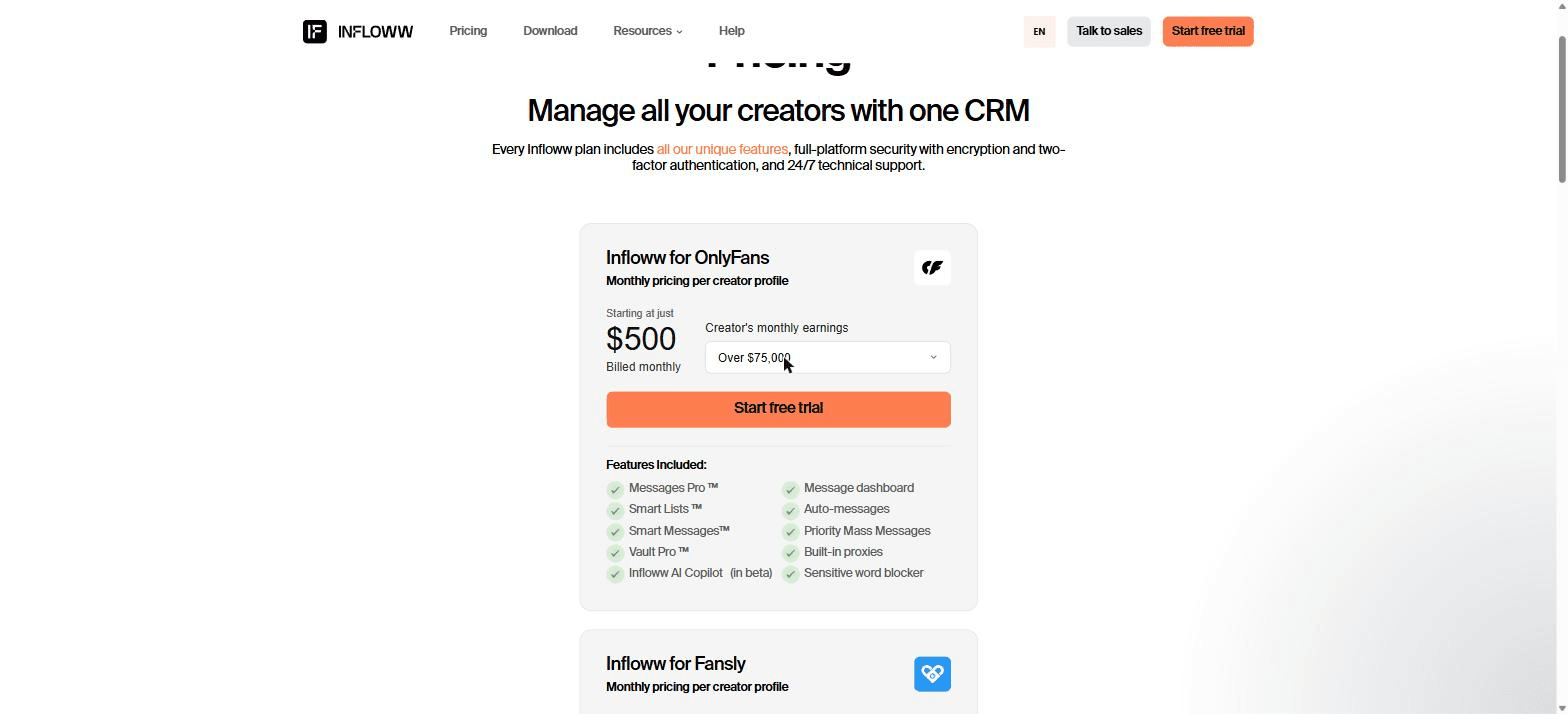
| OnlyFans, creator over $75k/mo | $500/mo | Per creator profile |
| Fansly, from | $40/mo | Per creator profile, banded on the same earnings mechanism. Not tested by us. |
| MYM | $50/mo | Per creator profile, flat. Not tested by us. |
| Fanvue | $50/mo | Per creator profile, flat. Not tested by us. |
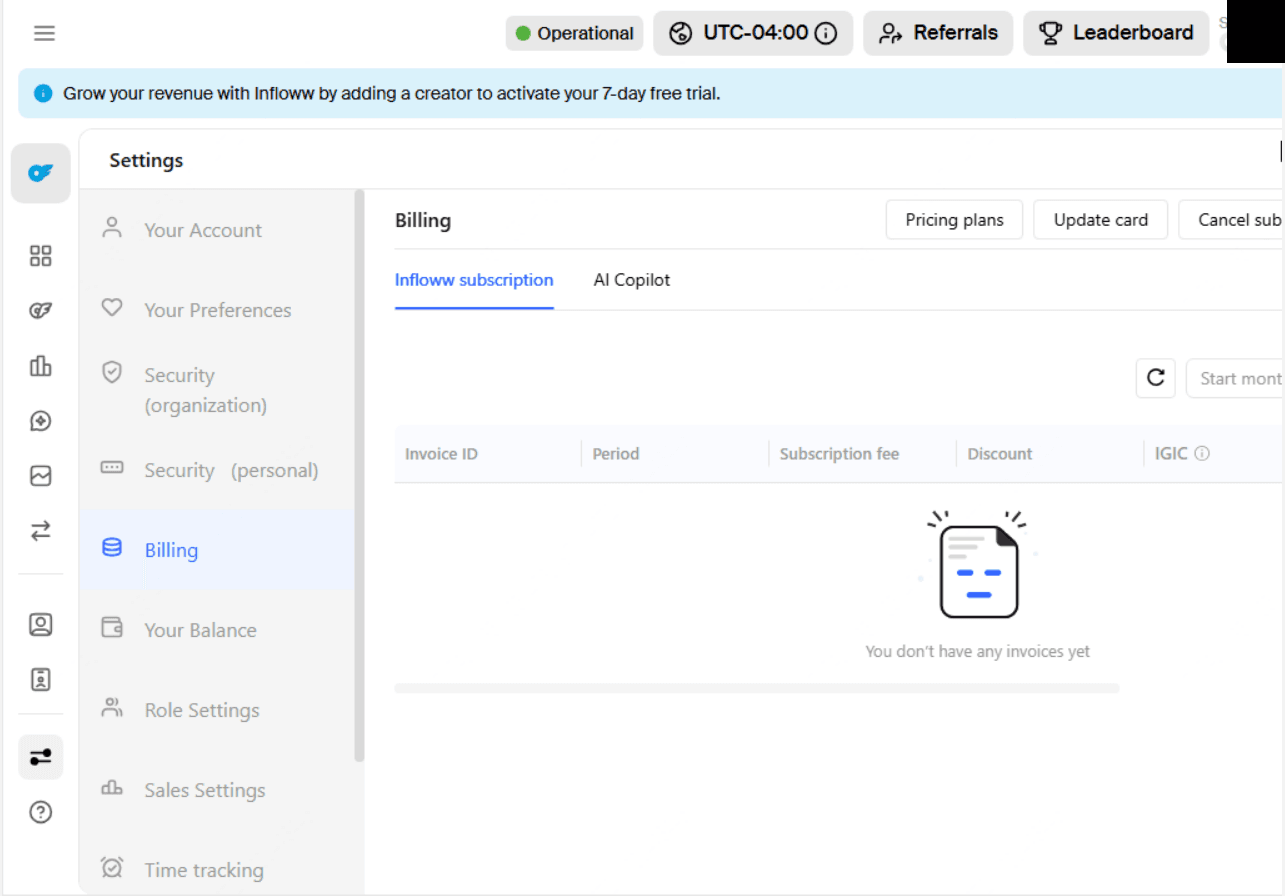
Checked on the vendor's pricing page on . No free tier. The 7-day trial activates when you add a creator, not at signup, and that length is published nowhere on the public site. The vendor's billing FAQ documents an $80 deposit required before the trial expires; we saw a deposit requested after connecting a card, and no invoice was raised for it.
What we measured
Free trial length
Read from the in-product dashboard banner on a running instance, which states the trial activates on adding a creator.
7 days
Measured
Published price bands, OnlyFans
Stepped the creator-earnings dropdown on the vendor pricing page through every option and read the per-profile price at each.
12 bands
Measured
Settings sections exposed
Counted in the Settings navigation on a running instance; the list scrolls, so this is a floor rather than a total.
9 sections
Measured
Pros
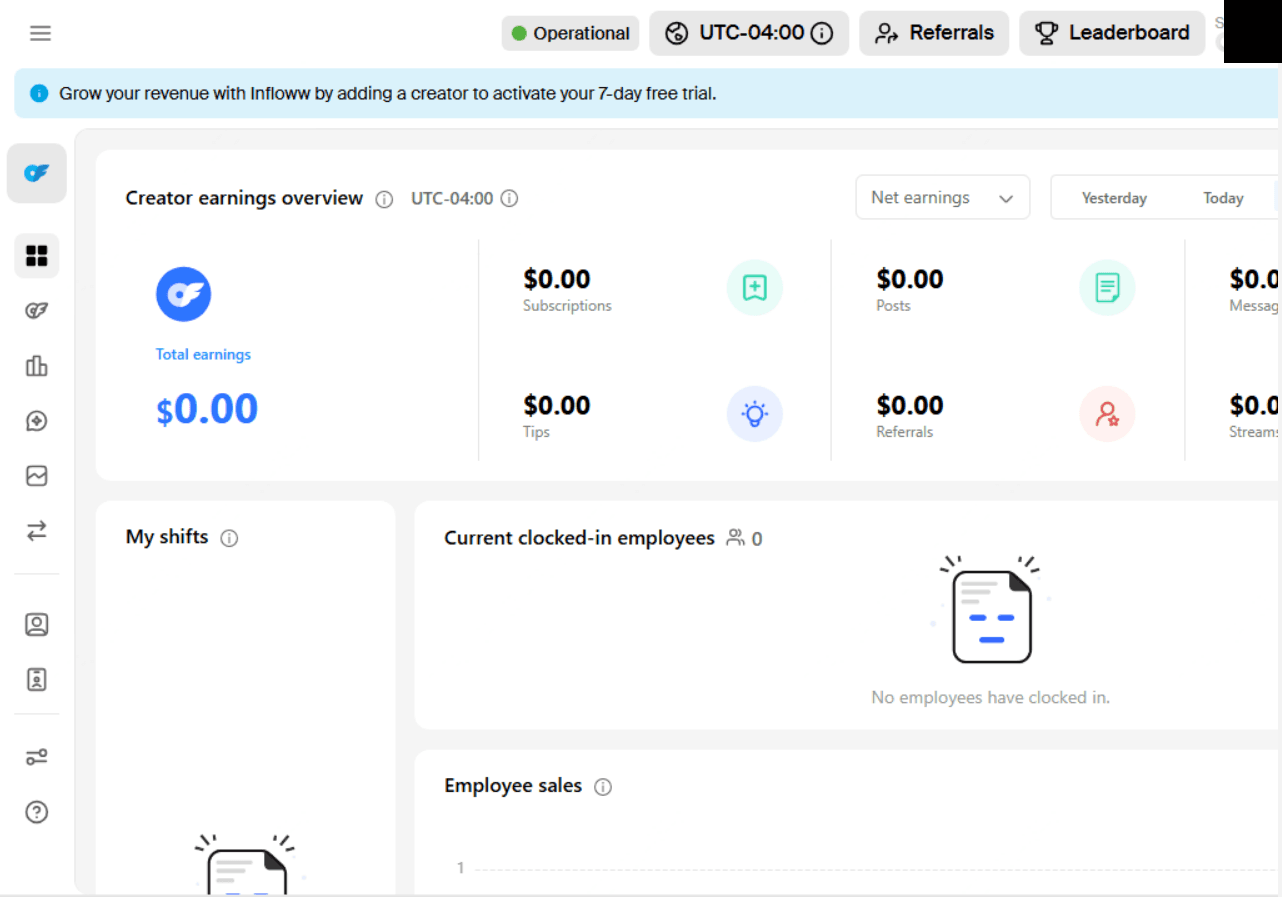
- The most polished product in this category, with shift scheduling, clocked-in employee tracking and per-employee sales as first-class surfaces
- Support answered immediately at any hour, which matters for agencies running overnight shifts
- Operational documentation is unusually honest about detection, per-account proxies and what changes if you substitute your own
- Self-serve cancellation exists in-product rather than requiring a support ticket
Cons
- The most expensive option here, with no free tier and a curve that climbs steeply with creator earnings
- A deposit was requested after connecting a card, which the pricing page and homepage never mention alongside their no-card claim
- Face verification is mandatory and runs through a second app, yet neither the terms nor the privacy policy contains any biometric clause
- The terms carry no clause on credential storage, platform bans or refunds, and there is no security page anywhere on the site
Captured
Captured
Captured
Infloww is the product the rest of this category is measured against, and after using it the reason is obvious. It feels finished. The dashboard is coherent, the settings architecture is deep without being confusing, and the shift infrastructure treats a chatter team as the operational unit it actually is rather than an afterthought bolted onto a creator tool. Clocked-in employees, per-employee sales and time tracking are first-class surfaces. Support answered immediately, at any hour. If you run an agency where people work shifts across time zones, that combination is worth paying for.
You will pay for it. There is no free tier and no way to look around without committing, and the bill scales with your clients' success rather than with your own usage.
Two things about the money are not on the pricing page. The trial length we could only find inside the product, and it does not start when you create an account. It starts when you add a creator, which is a meaningfully different clock. Then, after connecting a card, a deposit was requested. Infloww's own billing FAQ documents this and requires it before the trial expires, which given when the trial actually starts is a narrow window. The homepage says no credit card is required. Both statements can be true at once, and together they are misleading. Our billing ledger showed no invoice for the amount, which is consistent with a deposit held against a balance rather than a charge taken, so we describe it as requested rather than charged.
The connection process is the most demanding in this category, and Infloww is straight about why. Creator credentials go into the desktop app. Face verification is mandatory, cannot be skipped, and routes through a separate application the creator installs to complete a selfie scan. Every linked account gets a dedicated proxy, and the vendor explains plainly what that is for: the platform detects a single login even when several people share an account. That candour is genuinely to their credit. Most competitors describe the same architecture without ever admitting what it defends against.
What is not to their credit is the paperwork. A creator submits biometric data through a second app, and neither the privacy policy nor the terms mentions biometric data at all: no retention period, no named processor, no consent mechanism. The terms carry no clause on storing third-party platform credentials, which is the entire product. Nothing addresses what happens if a connected account is suspended. Nothing addresses refunds. The only security assurance anywhere is a single help-centre sentence about encryption behind a firewall, naming no standard and backed by no audit, and there is no security page on the site. For a product this mature, charging this much, that gap is more conspicuous than the same gap at a free competitor.
We connected OnlyFans and used it. Fansly, Fanvue and MYM are priced and documented by the vendor, but we did not connect them and make no claim about how they behave.
Buy Infloww if you run a real agency with shifts, staff and clients who expect things to work, and you can absorb both the price and the paperwork. Skip it if you are a solo creator, if you want to evaluate before spending, or if asking your creators for a biometric scan governed by no written policy is not a conversation you want to have.
How we tested
We used Infloww on a real account before scoring it; the process and testing tiers are on the how we test page. Visit Infloww to check current pricing.